We run a Dokuwiki server at our house to keep recipes on, but it’s kind of annoying to put new recipes on it. When I find a new recipe I end up closing out the tab by the time I want to put it in, then I have to go back and find it on the web. SOoooo… I created an extension that scrapes a wbsite and adds that recipe to the Category of meal in Dokuwiki. I’ll put the sanitized zip file on here so you can change a few lines of code and it should work for you.
- you will most likely have to change the categories it sorts the entries into
- you might need to change the URL although it asks for that during setup
- you’ll need your API keys
That is, if you use Chrome, and use Dokuwiki for recipes. Otherwise maybe you can reverse engineer this to work for your “setup”.
I’ll drop the files at the bottom but this is how it works.
Download the zip file and unzip it wherever you wanna keep it.
Get API Keys from Dokuwiki and Google Gemini. Yeah it uses Gemini. Whatever.
Dokuwiki API – https://www.dokuwiki.org/plugin:api
Gemini API – https://ai.google.dev/gemini-api/docs
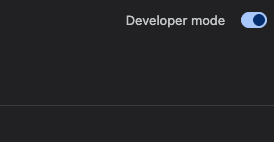
Head to chrome://extensions/ and turn on Developer Mode. Top Right.
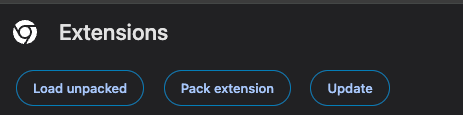
Then once its on you’ll click on the Load unpacked button and select the whole dokuwiki-recipe-scraper folder, that will load your extension into chrome.
Click the new icon (I have it set as a zubat for no real reason).
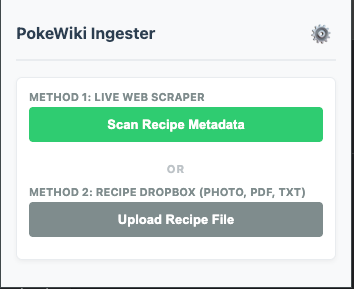
Then click the gear icon to set up your keys and url.
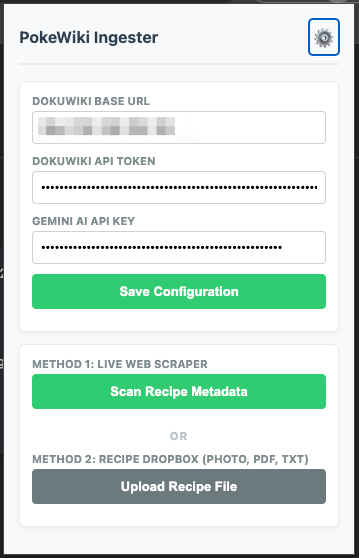
Add the API keys you snagged from Dokuwiki and Gemini. There should be a field for your dokuwiki url too so add that in then save.
Go to a website with recipes and give it a spin. It should add it into one of your food categories.
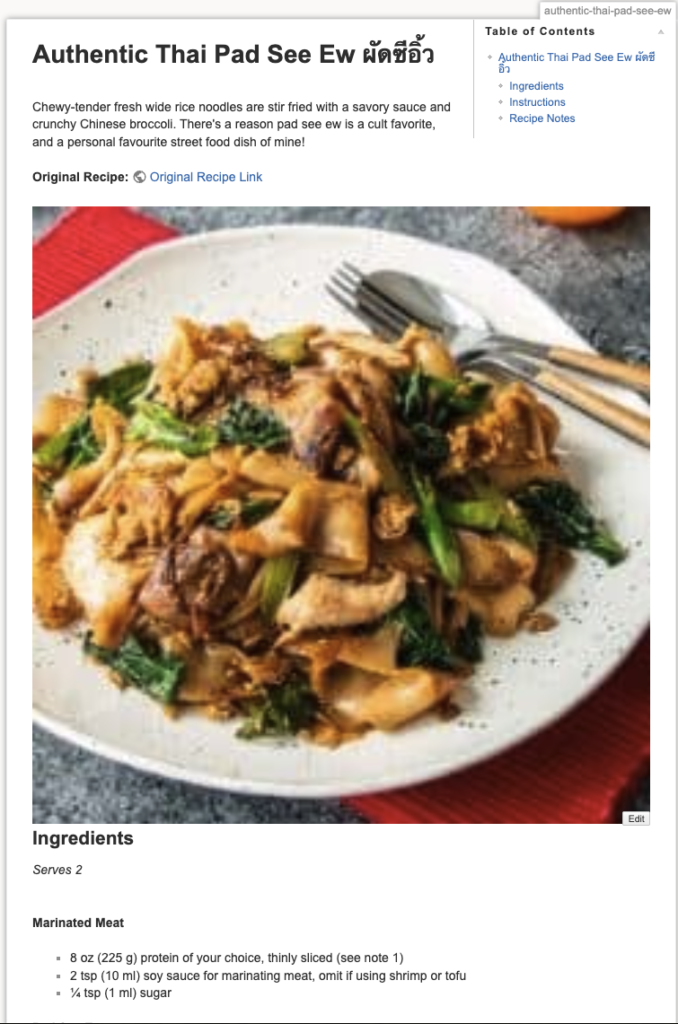
chef’s kiss